
Overview
The Sell Price feature in Mothernode gives you control over the final quote total—without manually editing every line item.
It’s designed for real-world pricing scenarios where you want to:
- Round numbers for cleaner proposals
- Hit target pricing (e.g., $70,000 instead of $66,620.10)
- Adjust final pricing strategically without rebuilding the quote
Instead of editing individual items, Mothernode automatically redistributes pricing across the entire quote.
How It Works
When you apply a Sell Price, Mothernode:
- Recalculates the markup across all line items
- Distributes the adjustment proportionally
- Updates the quote total to match your target price
Example (Increase Price)
- Original Quote Total: $66,620.10
- Sell Price Applied: $70,000
Mothernode increases markup across all line items to reach the new total.
Example (Decrease Price)
- Original Quote Total: $66,620.10
- Sell Price Applied: $60,000
Mothernode reduces markup across all line items to hit the lower total.
⚠️ Important Considerations
This feature is powerful—but it directly impacts profitability.
- Lowering the sell price reduces markup across all items
- This can compress or eliminate margins if pushed too far
- Always review the resulting markup before accepting
Bottom line: You’re not just changing the total—you’re changing the economics of the job.
How to Apply a Sell Price
- Open your Quote Order
- Click the MARGIN link (located above the grand total at the bottom right of the quote)
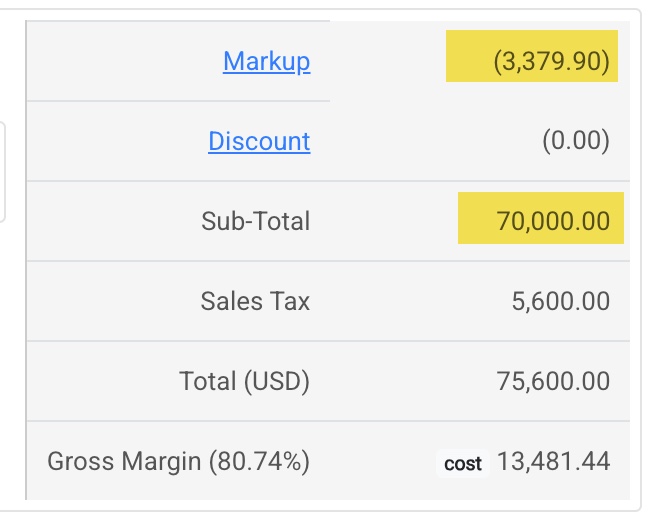
- Enter your desired Sell Price
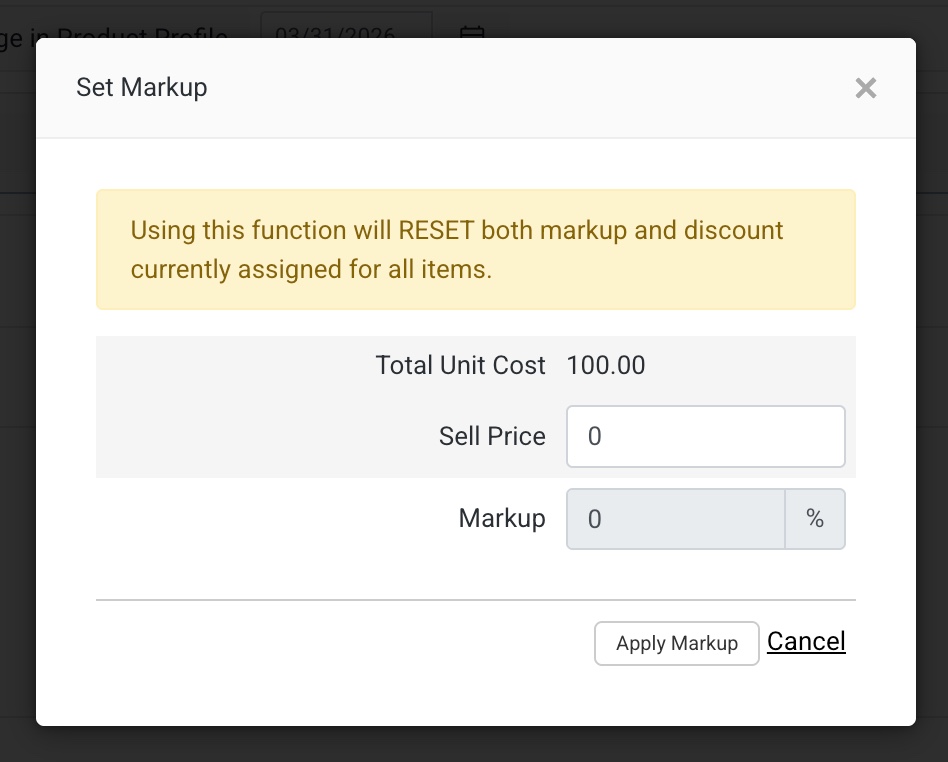
- Confirm your adjustment

- Review the updated markup percentage
- Confirm to finalize the adjustment
Once applied, the quote total will reflect your target price.
Best Practices
- Use for rounding or strategic pricing, not routine adjustments
- Always review markup before confirming
- Avoid aggressive reductions unless intentional (e.g., competitive bid)
- Use in combination with job costing insights to protect margins
Summary
The Sell Price feature gives you executive-level control over your quote totals—without operational friction.
You set the number.
Mothernode handles the math.
Use it wisely, and it becomes a powerful pricing lever.
